In my previous article, I shared how I built a cross-platform AI chat app using Kotlin Multiplatform (KMP) and Cursor:
👉 Building a Cross-Platform AI Chat App with Cursor + Kotlin Multiplatform
The benefits were obvious:
- ✅ One project
- ✅ Two platforms
- ✅ Shared logic
- ✅ Faster iteration
It looked like the perfect setup.
But when I started building OnlyBaby with AI tools, I made a surprising decision:
I didn’t use KMP for the whole app.
This wasn’t ideological. It was practical.
Here’s what happened — and what it taught me about app development in the AI era.
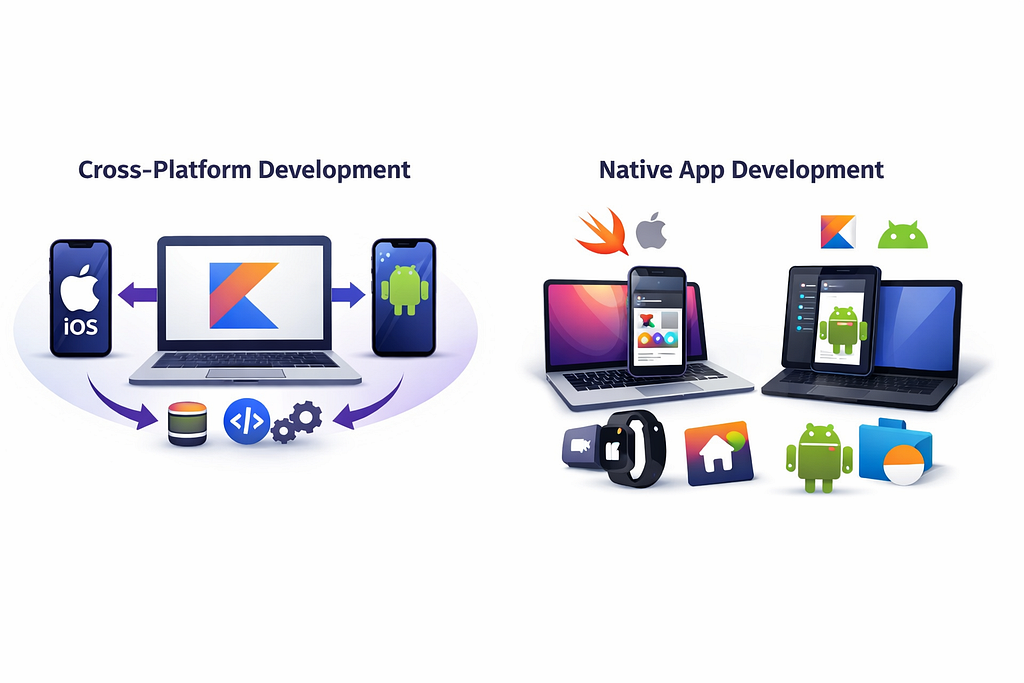
The Promise of Kotlin Multiplatform
The Appeal Is Real
KMP offers something every developer dreams of:
- Write once, run on iOS and Android
- Share business logic
- Reduce duplication
- Maintain consistency
- Ship faster
When building a cross-platform AI chat app, it worked beautifully.
But real-world product requirements are rarely “beautifully symmetric.”
Where Reality Started to Hurt
When building OnlyBaby, I ran into practical friction — not theoretical limitations, but development pain in real scenarios.
Let’s break them down.
1️⃣ Compromising on Libraries
When you choose KMP, you also choose:
- KMP-compatible networking libraries
- KMP-compatible persistence libraries
- KMP-compatible architecture constraints
That means:
- You can’t always use the best native tools.
- You must adapt to what KMP supports well.
- You sometimes sacrifice platform-optimized APIs.
In theory, this is fine.
In practice? It feels restrictive.
Especially when:
- iOS has great native persistence tools
- Android has its own powerful ecosystem
- Platform SDKs evolve faster than KMP adapters
2️⃣ I Wanted Native-First UI Experiences
This was a big one.
I didn’t want a “lowest common denominator” UI.
I wanted:
- iOS-specific design patterns
- Advanced visual effects (like future iOS “liquid glass” styles)
- Native animation behaviors
- Platform-specific UX nuances
And on Android:
- Material-native experiences
- Platform-consistent transitions
- Native component behavior
KMP shines at shared logic.
But UI is where identity lives.
And I didn’t want to compromise that.
3️⃣ iOS-Specific Features Matter More Than You Think
OnlyBaby needed deeper integration with Apple’s ecosystem:
- 📱 Live Activities
- 🏠 Home Widgets
- ⌚ Apple Watch support
These are not “nice-to-haves.”
They’re product-level features.
The deeper I went into iOS system integration, the more friction appeared.
4️⃣ The App Group Nightmare
This is where things broke down.
To share persistence data between:
- The main iOS app
- Home widgets
I needed to use App Groups.
That’s normal in native iOS development.
But:
- The KMP persistence libraries couldn’t support it properly.
- Bridging layers became fragile.
- AI agents tried to fix it.
And here’s the painful part:
Even with Cursor, Codex, and Antigravity… it failed.
The Endless AI Loop
The AI agents did what they’re good at:
- Rebuild the project
- Analyze compiler errors
- Attempt fixes
- Retry
- Retry
- Retry
But instead of solving it:
- It entered an endless resolution loop.
- It consumed a huge number of tokens.
- It still complained about errors.
At that moment, I realized something important.
The Real Question: Why Am I Still Compromising?
AI agents have changed development completely.
With tools like, Cursor, Codex, Antigravity
I can:
- Generate architecture quickly
- Build features rapidly
- Debug efficiently
- Scaffold entire apps in hours
So why am I still sacrificing user experience for cross-platform purity?
The AI Era Changes the Cost Equation
Before AI:
- Writing two native apps meant double effort.
- Cross-platform was a major efficiency win.
Now?
AI has:
- Reduced the cost of duplication.
- Reduced the fear of platform-specific code.
- Reduced time-to-market dramatically.
That changes everything.
If AI can help me build:
- A dedicated iOS app
- A dedicated Android app
Very quickly…
Then the main historical argument for full cross-platform weakens.
So Did I Abandon KMP?
No.
I refined how I use it.
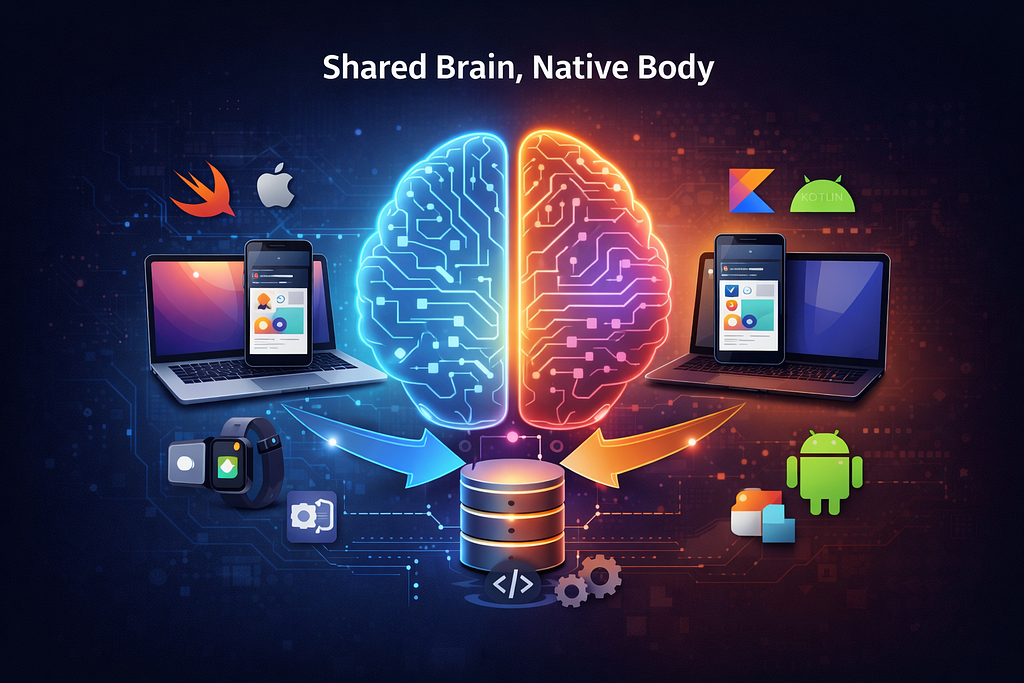
Instead of sharing the whole app, I share:
✅ Core Business Logic Only
KMP now handles:
- Domain logic
- Core use cases
- Shared business rules
- Shared models
But not:
- UI
- Deep platform integrations
- System-level features
In other words:
KMP is responsible for logic — not experience.
A New Pattern for the AI Age
Here’s what I believe will become common:
🧠 Shared Brain, Native Body
- Shared KMP module → core logic
- Native iOS app → full Apple ecosystem power
- Native Android app → full Material & system integration
This hybrid model gives:
- Maximum user experience quality
- Platform-first design
- Shared intelligence
- Reduced duplication where it actually matters
Final Reflection
KMP isn’t the problem.
The assumption was.
In the AI era:
- Development speed is no longer the bottleneck.
- User experience differentiation matters more.
- Platform-native depth wins.
AI agents boost productivity.
So instead of forcing cross-platform everywhere, we can:
- Share what should be shared.
- Specialize what should be specialized.
And that balance feels right.
Comments